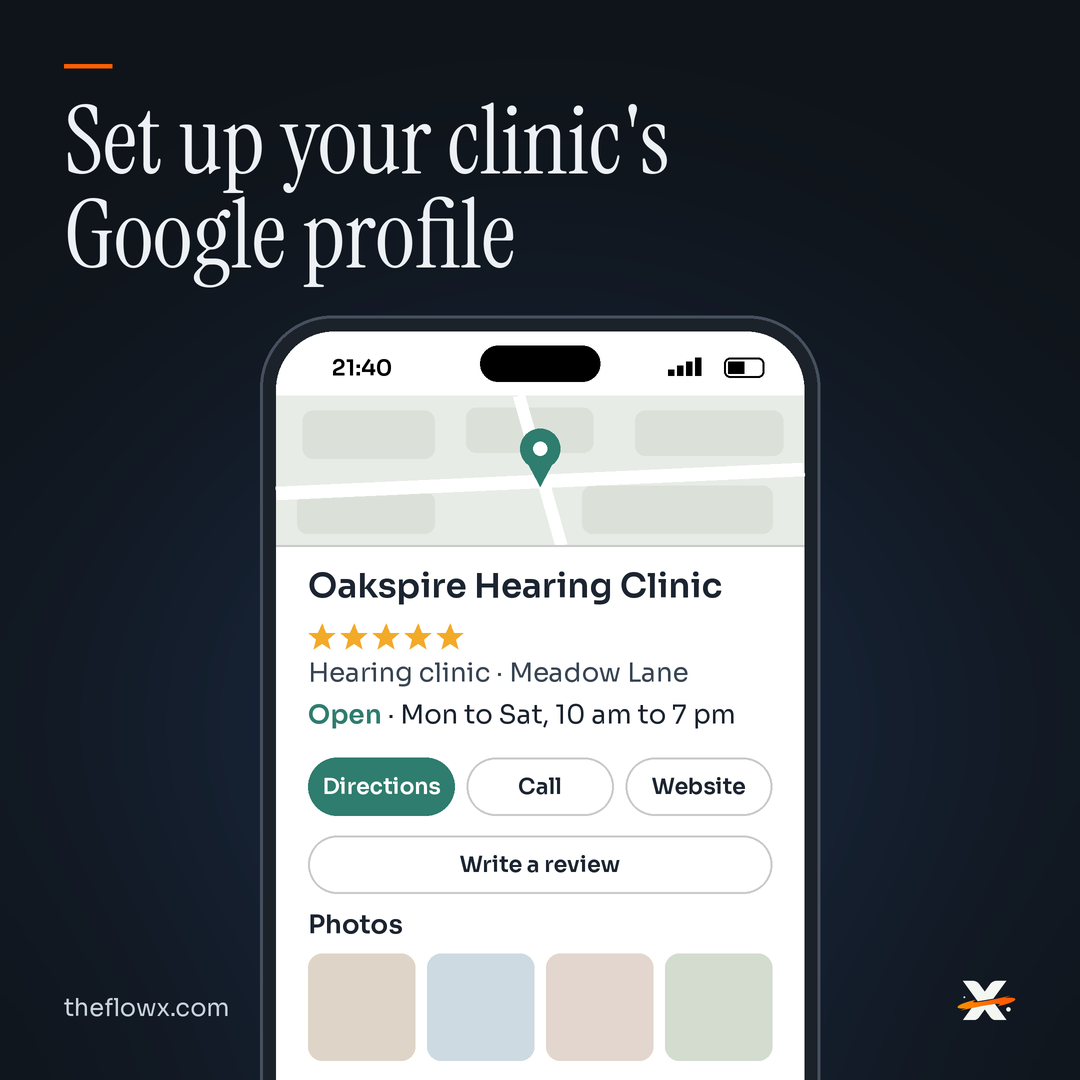
The short answer: Search for your clinic on Google, then claim the profile if it exists or create one if it does not. Use your real clinic name, choose the closest primary category, and add your exact address. Verify the profile, then fill in hours, phone, website and photos. Finally, ask every patient for a review and reply to each one.
That is the whole job in one breath. The rest of this guide walks through each step, in order, the way we would do it sitting next to your front desk.
A parent searching for a hearing test at night usually finds the map before the website. If the clinic is missing there, or the hours are wrong, the parent calls someone else. None of this needs an agency. It needs an hour and a careful hand.
How do I find or create my clinic's Google Business Profile?
- Sign in with a Google Account. A clinic email works better than a personal one, so the profile stays with the clinic if staff change.
- Search Google Maps for your clinic name and area.
- If a listing already exists, choose to claim it. If not, start a new Business Profile.
What name should the profile use?
- Enter the clinic's real-world name, exactly as it appears on your signboard, website and letterhead.
- Leave out extra words like a city, a service or a slogan. Google's guidelines say unnecessary information in the name is not permitted and can lead to suspension.
Which category should a hearing aid clinic choose?
- Choose the closest primary category for what the clinic mainly does. Pick the most specific one Google offers in the editor, not a broad one.
- Add only the few extra categories that truly describe the core work. Google asks for the fewest categories it takes.
What address and signage does Google expect?
- Enter a precise address that patients can walk into.
- Keep permanent signage with the clinic name at that address. Virtual offices are not eligible.
What if the clinic has more than one branch?
- Create one profile per branch, never two for the same branch.
- Keep the same name and the same category across branches that offer the same services. The branch address does the work of telling them apart.
A note on audiologists: Google treats doctors and similar professionals as individual practitioners, and a practitioner can have their own profile. Use this only if it reflects how the person actually practises, not as a way to take up more space on the map.
How do I verify the profile?
- Choose the verification method Google offers you. It may be phone or SMS, email, a live video call or a recorded video. Google recommends video when your business is eligible.
- If you pick a phone call, use a number a person answers. Google notes that IVR systems will not get the code.
- Expect that the time it takes can vary, and that some businesses are asked for more than one method.
What details should I fill in after verification?
- Add regular hours, plus special hours for holidays and festival days.
- Add a normal phone number and your website. Premium-rate numbers are not accepted.
- List your services in plain words patients use, such as hearing test, hearing aid fitting and speech therapy.
What photos should a hearing clinic upload?
- Upload JPG or PNG photos of the signboard, entrance, waiting area and testing room. Follow the size limits shown in Google's photo help page.
- Do not show patient faces, names or audiograms unless the patient has given written consent. This is our advice, not Google's rule, and it protects your patients' trust.
How should the clinic ask for Google reviews?
- Ask every patient, not only the happy ones. Choosing who to ask breaks Google's rules.
- Share your review link or a QR code on a card or in a follow-up message, so the patient can review later at home.
- Never offer a discount, free service or gift for a review.
- Do not push patients to review while they are still in the clinic, and do not hand them a device at the counter.
- Do not give patients wording to use. Let them say it in their own words.
- Reply to every review, kindly and briefly, and never share medical details in a reply.
Staff, family and friends should not review the clinic. Google counts that as a conflict of interest.
How can my front-desk staff help manage the profile?
- Add staff as managers from the profile settings. Never share the owner's password.
- Managers can edit details, reply to reviews and add posts. Keep at least one owner who is a partner or doctor at the clinic.
- Use posts for clinic updates, camp days or holiday hours. An offer post needs a title and dates.
Why does a complete profile matter?
Google says local results are mainly based on relevance, distance and prominence. A complete, accurate profile helps Google understand what the clinic does. We will not promise a ranking jump. Nobody honest can.
Example clinic profile
Example clinic, not a real business.
| Field | What we would enter |
|---|---|
| Name | Oakspire Hearing Clinic |
| Primary category | The closest category the editor offers for a hearing clinic |
| Address | Shop number, building, street, area, city, PIN, with a signboard outside |
| Hours | Mon to Sat 10:00 to 19:00, Sunday closed, special hours on festival days |
| Services | Hearing test, hearing aid fitting, hearing aid repair, speech therapy |
| Photos | Signboard, entrance, waiting area, testing room, no patients |
| Managers | Owner audiologist as owner, front desk as manager |
| Reviews | Link on the follow-up message to every patient |
Copy this checklist
- Signed in with the clinic's Google Account
- Searched Maps; claimed existing listing or created new one
- Name matches signboard exactly, no extra words
- Closest primary category chosen; only a few extra categories
- Precise address with permanent signage
- One profile per branch; same name and category across branches
- Verified (method Google offered)
- Regular hours plus holiday hours
- Normal phone number and website added
- Services listed in patients' words
- Photos: signboard, entrance, waiting area, testing room; no patients without written consent
- Review link or QR shared with every patient
- No discounts, no in-clinic pressure, no scripted wording
- Replied to every review, no medical details
- Staff added as managers, no shared passwords
- Posts for updates and holiday hours
FAQ
How long does Google Business Profile verification take?
It varies. Google does not publish a fixed timeline, and some businesses are asked for more than one verification method.
What category should a hearing aid clinic choose on Google?
Choose the closest primary category for what the clinic mainly does. Pick the most specific option in the editor and keep extra categories to a few.
Can I have one Google profile for each clinic branch?
Yes. Each branch gets one profile. Branches offering the same services should use the same name and category.
Can I offer a discount for a Google review?
No. Google prohibits incentives of any kind for reviews, including discounts and free services.
Can my front-desk staff manage our profile?
Yes. Add them as managers so they can edit details, reply to reviews and post updates without the owner's password.
Where to go next
If patients find you on Maps but the enquiries still go quiet, the gap is often after the click. Our High-Intent Search and Paid Traffic work covers that path. For the website side of search, read our SEO post.
Would it be a bad idea to search your clinic name on your phone tonight and look at what a parent sees? If what you find worries you, book a consultation.
Sources
- G1 Get started
- G2 Guidelines for representing your business
- G3 Verify your business
- G4 Manage your business category
- G5 Edit your Business Profile
- G6 Manage your business address
- G7 Photos and videos
- G8 Posts
- G9 Manage customer reviews
- G10 Tips to get more reviews
- G11 Maps prohibited and restricted content
- G12 Improve your local ranking
- G13 Owners and managers